Make your Android TV awesome
Android TV
Warning - This guide is a for strictly educational knowledge only. I do not condone piracy or stealing ad revenue.
Also, This guide is always work in progress as I am also learning new ways and experiment stuff. All Credits to pictures go to mediawiki and others.
Movies, Series and Anime
 You have bought a 4k tv with your own money (hopefully). Now you want to watch stuff on your tv.
This include movies, web series or anime that you want.
But in this era of fragmented subscriptions era, You can’t watch all the stuff that you want without breaking a bank.
This translates to plethora of apps for every service, which include Netflix, Amazon, Hulu, JioHotstar, Disney Plus, Crunchyroll and so on.
Your favourite shows are removed whenever the streaming companies deams it to be not profitable enough.
Streaming sites change the deal in the middle of the plan. Adding ads in your premium pack.
You have bought a 4k tv with your own money (hopefully). Now you want to watch stuff on your tv.
This include movies, web series or anime that you want.
But in this era of fragmented subscriptions era, You can’t watch all the stuff that you want without breaking a bank.
This translates to plethora of apps for every service, which include Netflix, Amazon, Hulu, JioHotstar, Disney Plus, Crunchyroll and so on.
Your favourite shows are removed whenever the streaming companies deams it to be not profitable enough.
Streaming sites change the deal in the middle of the plan. Adding ads in your premium pack.
Not to forget the mental gymnastics that is required to find which streaming site has what.
Stremio
 This is the best way I have seen to this date, to watch what I want.
Stremio is an media serving application which allows various addons which adds catalogues for various types of media.
For Example, there are addons for Formula One Racing, Audio Books, youtube or Even Educational Courses.
This application is also available for Android, Windows, Linux.
For apple users, which include Ipads, Macs and Iphones, The application is available but restricted in use, that means no torrenting engine. You can have to use a debrid service.
And the app is banned in Indian Play Store.
To setup you can follow the fabulous guide by viren - https://guides.viren070.me/stremio
This is the best way I have seen to this date, to watch what I want.
Stremio is an media serving application which allows various addons which adds catalogues for various types of media.
For Example, there are addons for Formula One Racing, Audio Books, youtube or Even Educational Courses.
This application is also available for Android, Windows, Linux.
For apple users, which include Ipads, Macs and Iphones, The application is available but restricted in use, that means no torrenting engine. You can have to use a debrid service.
And the app is banned in Indian Play Store.
To setup you can follow the fabulous guide by viren - https://guides.viren070.me/stremio
This application changed the way how I watched my stuff. Super Recommended, If I ever get a Android tv, I will install it. This app just solves all your cinema needs.
I will highly recommend to get Debrid Service, as It will make streaming much faster.
I used Torbox’s basic plan, It worked fabulously that too for such a cheap price for $3 or 270 inr, that is a cost of single cup of coffee.
But ultimately It is your choice.
If you consider to buy a plan, you can use my referral code 2d061f84-8ef4-4b16-ac4a-837b9d9f0b54 or click this (link)[https://torbox.app/subscription?referral=2d061f84-8ef4-4b16-ac4a-837b9d9f0b54] which will get us both 15 more days of premium.
It would be great, If you can use my referral.
Youtube
The basic Android TV Youtube app is riddled with ads. Every 5 mins of watch time, you have an ad. Ads even in Feeds. If you listen to some music, you are not going to enjoy it. When you are having someone over the worst thing is getting ads which you are watching your favourite youtubers. This is where SmartTube comes
SmartTubeNext
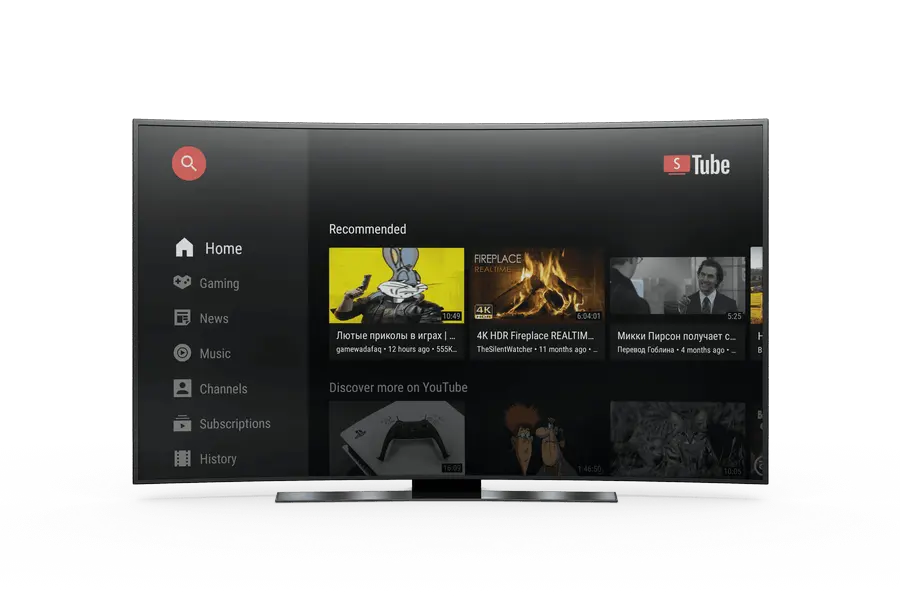
This is an alternative youtube app which has inbuilt adblock and sponsorblock. So you get rid of ads in the feeds and mid stream. Also if you watching videos which have some sponsorships like intro, outro or product promo this app skips them automatically. Saving on your time and data. Setting this up is very easy similar to the actual youtube app, you have to scan a QR Code and sign up by mobile device. All your subscriptions, recommendations also carry over. Highly Recommended, If I get a new TV, I will install this.
Cable TV

If you have elders or parents, who prefer to watch the cable TV but you can not afford or don’t want cable TV. You can use these apps.
UniTV
You can install Unitv which will fetch the various cable channels all over the world. So you can watch world wide cable TV or can filter for you desired country’s TV. The various channels work quite well. They are higher quality than the actual cable. But sometimes there is a youtube link to the actual channel as some channels have a live Youtube stream or some very niche channels are not there. But that is a lot that you get for free.
IPTV
This is the foundation of UniTV but it is paid for premium users. Also I don’t got enough time to look into it. It is on my checklist to look out for.
Launcher
 Now that we have removed ads from youtube and streaming services.
You can see the ad infested home screen of youtube.
Promoting the latest slop they are shilling for.
For this you can install a launcher
Now that we have removed ads from youtube and streaming services.
You can see the ad infested home screen of youtube.
Promoting the latest slop they are shilling for.
For this you can install a launcher
Projectivity Launcher

This is the the GOAT launcher. It can incorporate the various apps which I am talking about. It is highly customiseable according to your need. You can customise the apps, the order in which they occur, the wallpaper, how frequent it changes, and so on.
You can look into getting the premium of whichever launcher you want but I don’t use them because they work fabulous even in basic tier. If I had to get one, I would get projectivity premium as I give lots of features and customisations and is stable unlike at4k.
At4k Launcher
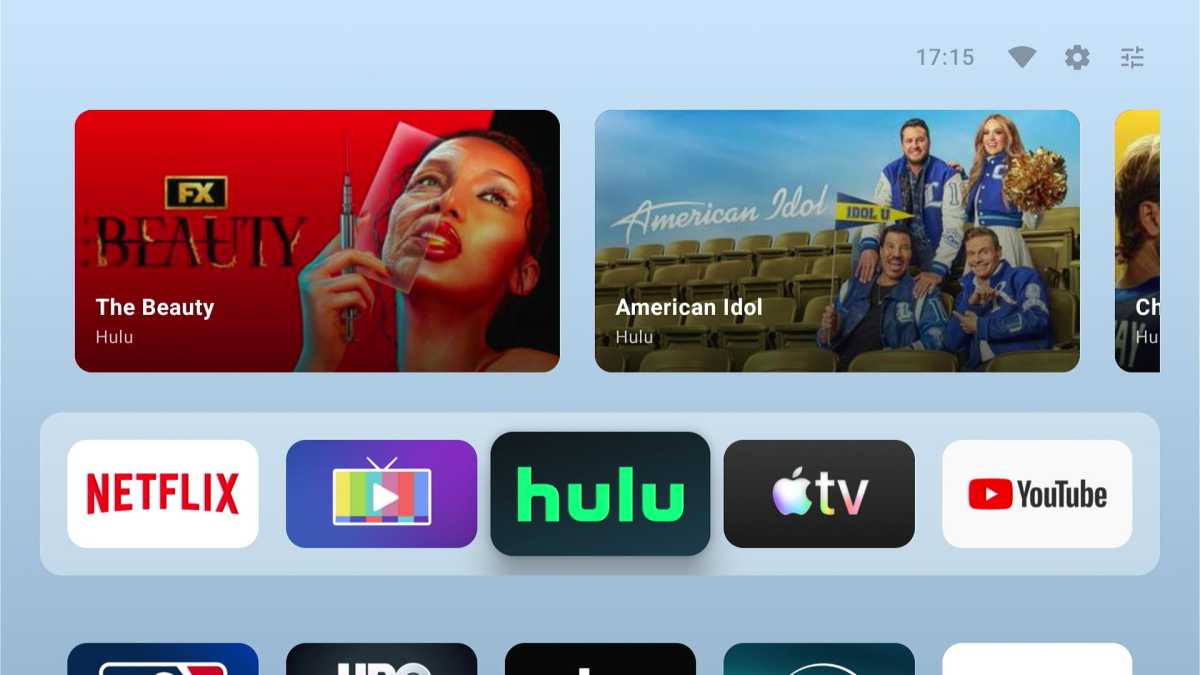
But if Customisation is not your thing, You want just a clean interface, You can get At4k laucher which aims to copy Apple TV laucher. The developer is responsive and is adding new features almost every week. It advertises that it can integrate stremio feeds but It didn’t worked for me. I think I have to give It some time to update the configurations.
Twitch

I am not into twitch so I use this app very rarely.
SmartTwitchTV
This is a good app as it helps to avoid ads and watch the live stream in peace. But chatting would be a nightmare if you use google keyboard.
Button Remapper
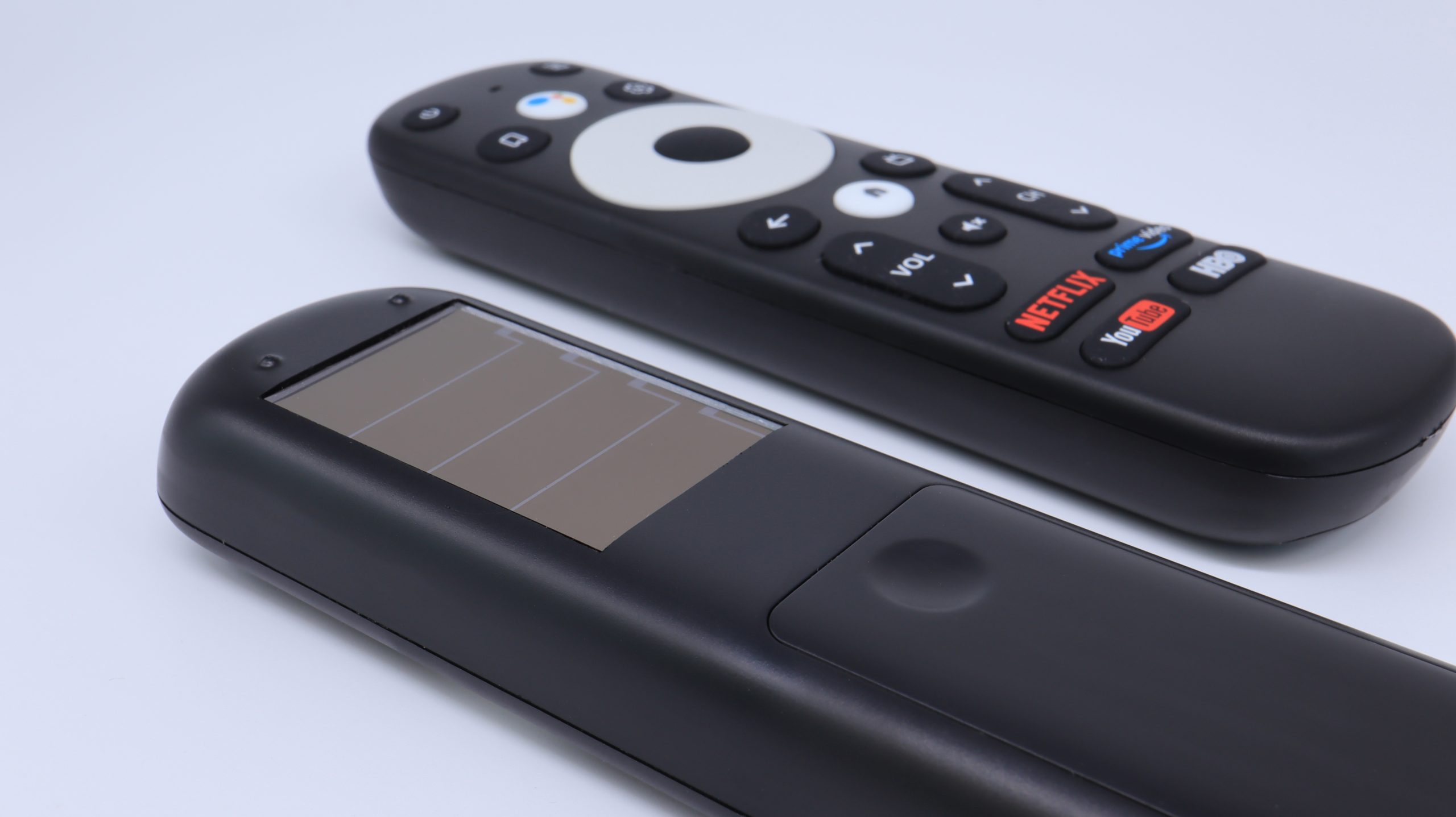
If you look at your remote, you can see some redundant buttons like youtube (which leads to ad infested youtube), netflix or Prime Video.
You can use Button Mapper Remap Your keys to remap these buttons to the your desired apps
For me, I have set youtube button to open smarttube, netlfix button for stremio and primevideo to open unitv.
This is the only app that worked for me but your mileage may vary.
Screensaver
I have to disable screen saver because It start playing even If I am watching stuff on my apps. For my Haier Matrix I had to get into factory menu to disable screen saver to stop it altogether and yes developer options didn’t worked for me. But a Disclaimer If you leave your tv for long time, You can burn afterimages on the screen.
Aerial View

I tried this app, It gives the high quality drones shots of various scenes like nature, city or parks, etc. Good stuff, But I was not able set it up to prevent sleep on playback and Set this app as the actual screen saver. I might have to look into factory menu. Also these High Quality videos will consume a lot of bandwidth on your network so better look out.
App store
With these many apps to install and update reguraly. We need a good app store.
Obtainium
This app handles all the fetching and updates for all the apps. Just set the links required or import a json file. This is on my radar to create a starter pack to share with people. You can expect an update for that soon.
AFTVnews downloader
This app can generate a passcode which can be used as a shortened link to the apps. I think they expire after some time. But I don’t trust it yet,